


In this tutorial, I would like to show you how to enable quickly the Groundhogg marketing automation suite integration for your ThriveCart customers.
To get started let’s install and activate Groundhogg marketing automation from the WordPress repository. Simply search for Groundhogg and the first option should be the correct one.
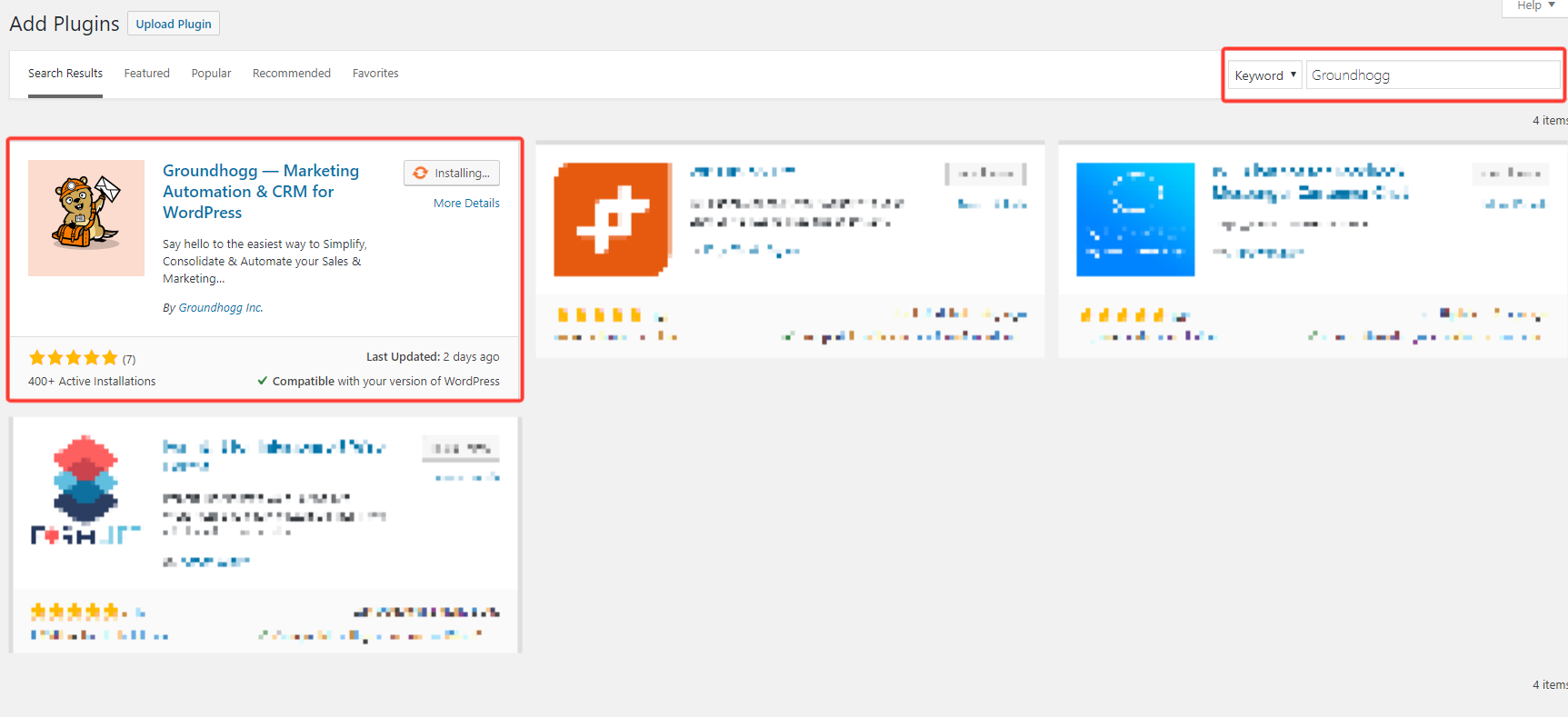
Groundhogg Add-On Settings:
After the setup wizard, install the Groundhogg add-on under the Cart2WP add-ons tab.
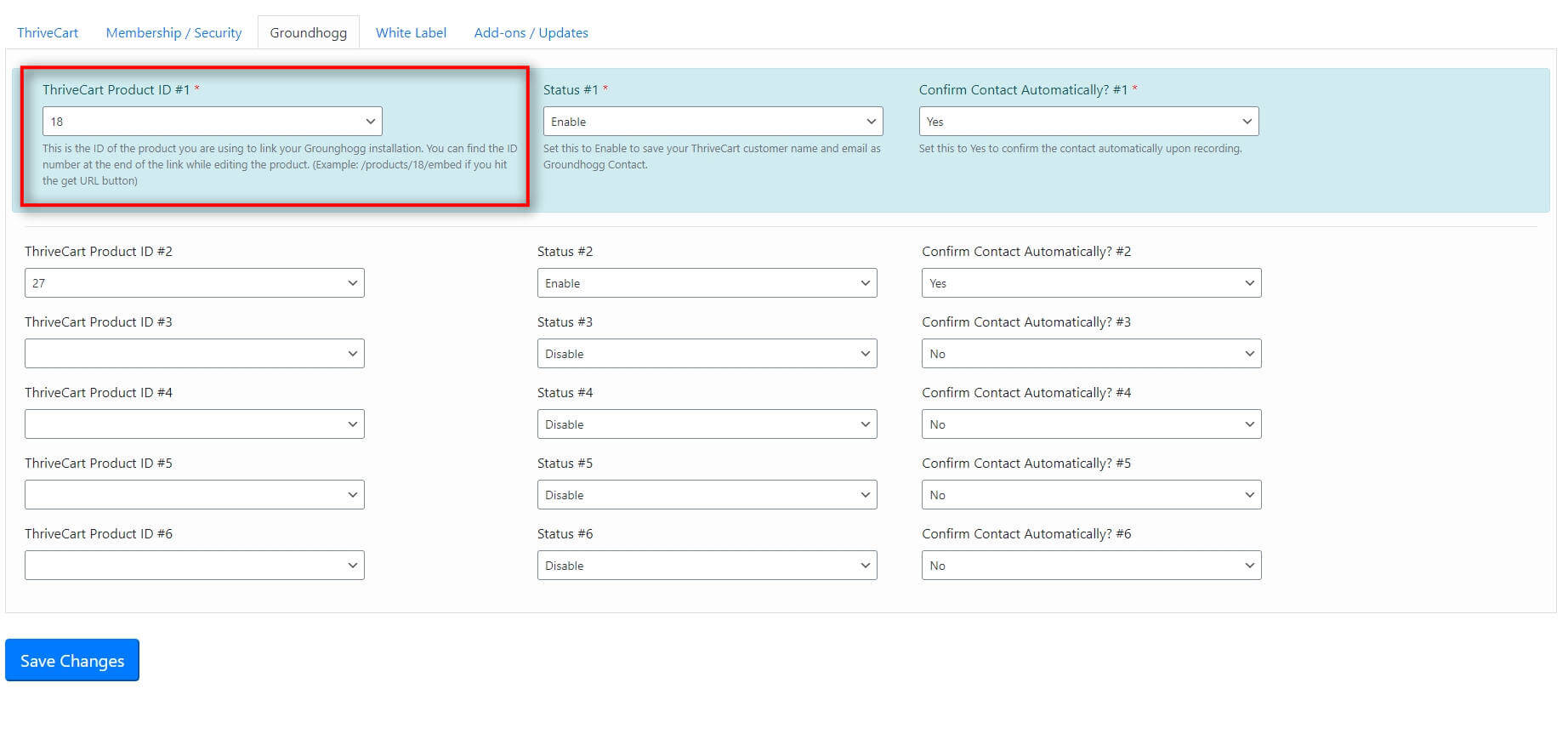
Next, choose the product ID you wish to use and active the automated contact synchronisation (Status) plus set the new contacts to “Verified” by default if needed.
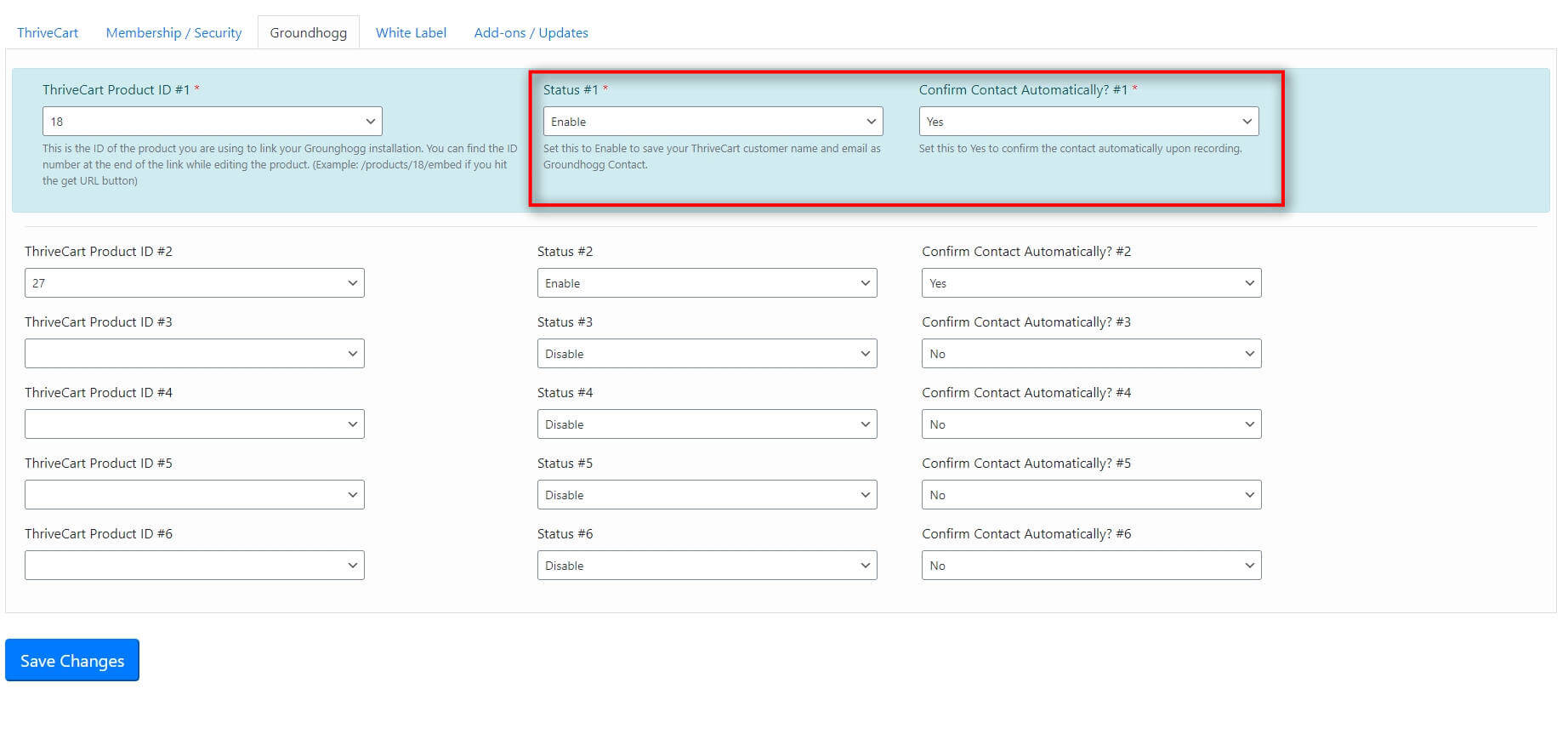
That is all you have to do to sync the customers as contacts in Groundhogg. From here on, you have a full email marketing automation built in your website that will automatically pick up new customers.